Partners · Accounting & ERP
QuickBooks.
Send invoices and payments to QuickBooks and pull QuickBooks Items into your proposals and work orders.
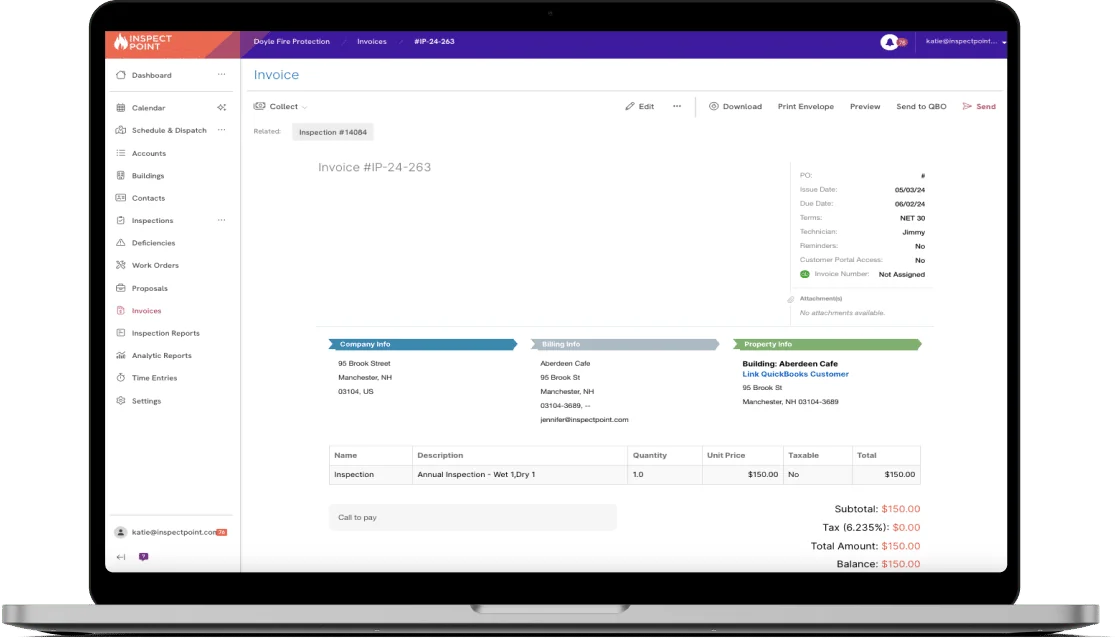
The QuickBooks integration moves billing data between Inspect Point and your accounting system, so the office is not entering the same invoice twice. Invoices and payments export from Inspect Point to QuickBooks with a click.
It works in the other direction too. Import your QuickBooks Items and use them on proposals, work orders, and invoices, so pricing stays consistent across both systems.
Works with QuickBooks Online and QuickBooks Desktop.
What moves between systems
Invoices and payments
Export from Inspect Point to QuickBooks with the click of a button.
Items from QuickBooks
Import into Inspect Point for use on proposals, work orders, and invoices.
Where it fits, inspection to collection
More in accounting & ERP




See the QuickBooks integration
on your own workflow.
Bring the account you'd connect first. We'll walk the QuickBooks connection on it during the demo.