Partners · CRM & automation
Zapier.
Trigger workflows in other apps when an inspection finishes or a proposal is accepted in Inspect Point.

Inspect Point has its own app in the Zapier marketplace, which connects inspection work to the rest of your stack: CRMs like HubSpot, Zoho, or Salesforce, and email tools like Mailchimp or Constant Contact.
Two triggers start Zaps from Inspect Point: an inspection is completed or a proposal is accepted. From there you can notify the customer, create a task for a service manager to order parts, or set a reminder so the work gets scheduled.
Actions run the other way. A Zap can create or update a building in Inspect Point, for example from a new business form on your website, or create a proposal with data from your CRM.
What moves between systems
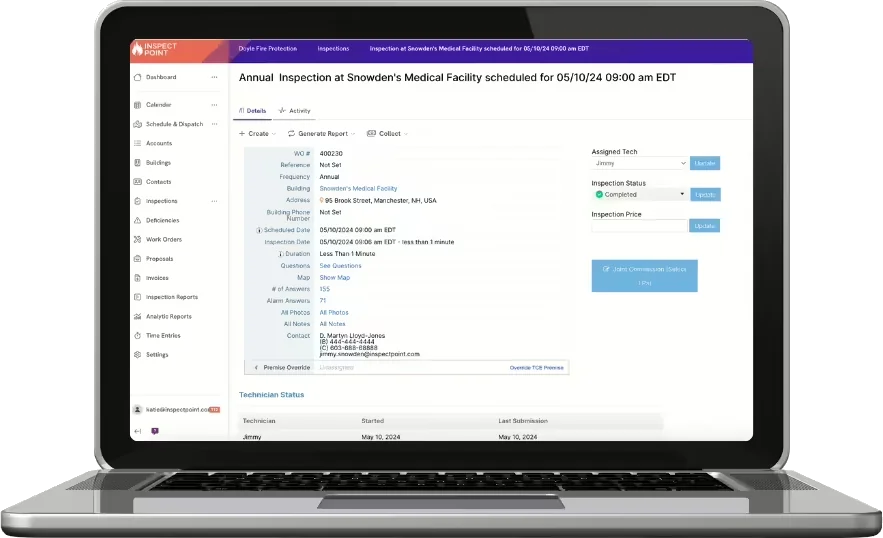
Inspection completed trigger
Starts follow-up Zaps such as customer emails and sales-team tasks.
Proposal accepted trigger
Kicks off scheduling emails, parts-order tasks, and reminders.
Create or update a building
An action that adds or updates a building in Inspect Point from another app, such as a website form.
Create a proposal
An action that builds a proposal in Inspect Point with data synced from your CRM.
Included at no extra charge on Inspect Point's Platinum tier; some Zaps may require a paid Zapier plan.
Where it fits, inspection to collection
More in CRM & automation


See the Zapier integration
on your own workflow.
Bring the account you'd connect first. We'll walk the Zapier connection on it during the demo.